




Effiziente Verwaltung Ihrer Sprachen
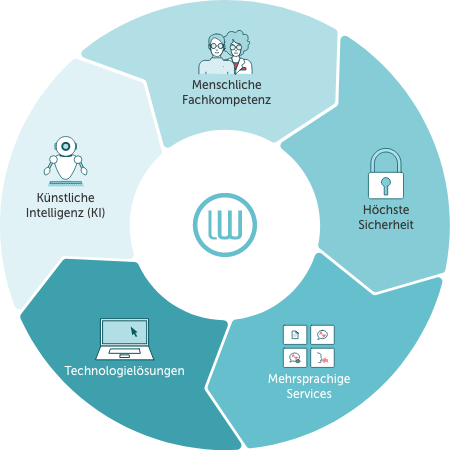
Unser Sprachenmanagement-Ökosystem kombiniert fortschrittliche KI und menschliche Fachkompetenz in einer sicheren Suite mit Technologien und Services, die Ihnen die Arbeit erleichtern. Nutzen Sie die Leistungsfähigkeit jeder Lösung für sich allein oder in geballter Kombination. Ob einzeln, kombiniert oder komplett – in unserem Ökosystem finden Sie sicher die perfekte Lösung für Ihren Erfolg.
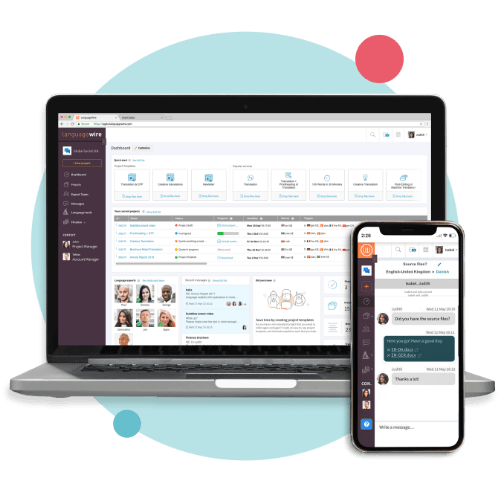
Die LanguageWire-Plattform ist eine leistungsstarke Schnittstelle, die mit anpassbaren Workflows und KI-Technologie Ihre Time-to-Market verkürzt und Kosten reduziert.

LanguageWire hat uns im Laufe der Jahre bei zahlreichen Projekten geholfen, manchmal unter hohem Termindruck, und hat immer pünktlich geliefert. Die Übersetzer und Mitarbeiter geben sich alle erdenkliche Mühe, qualitativ hochwertige Arbeit zu liefern, dem Fachgebiet, Thema oder der Fachterminologie entsprechend.
Martin Gerard,
BNP Paribas

Unser Einsatz für Ihren Erfolg ist das Geheimnis unseres Erfolgs. Wir stellen ein Team von Experten zusammen, das sich für Ihr Unternehmen einsetzt, Ihnen eine umfassende Betreuung bietet, Ihre Bedürfnisse kennenlernt und Ihren Erfolg sichert.
In Smart Editor, unserem intelligenten Tool für die computerunterstützte Übersetzung (CAT), kommen KI-Technologie und menschliche Fachkompetenz zusammen, um die Erstellung von mehrsprachigem Content noch einfacher und effizienter zu gestalten.



Die Benutzerfreundlichkeit der Plattform ist einer der wichtigsten Aspekte bei der Zusammenarbeit mit LanguageWire. Der Service und die Tools eignen sich hervorragend, um Projekte, Konversationen und Rechnungen im Blick zu behalten. Und, was noch wichtiger ist: Unser Translation Memory ist für uns leicht zugänglich. Die Möglichkeit, direkt mit einem Übersetzer zu kommunizieren und zusammenzuarbeiten, war ebenfalls fantastisch.
Greta Roy,
Pandora
Unsere Integrationslösungen ermöglichen ein nahtloses Management von mehrsprachigem Content und bringen dabei weder zusätzliche Komplexität noch bedürfen sie gesonderter Schulungen. Über die Integration unserer LanguageWire-Connectors und der kundenspezifischen API-Lösungen bieten wir die Leistungsstärke unserer Services in der gewohnten Umgebung Ihrer bestehenden Plattform.





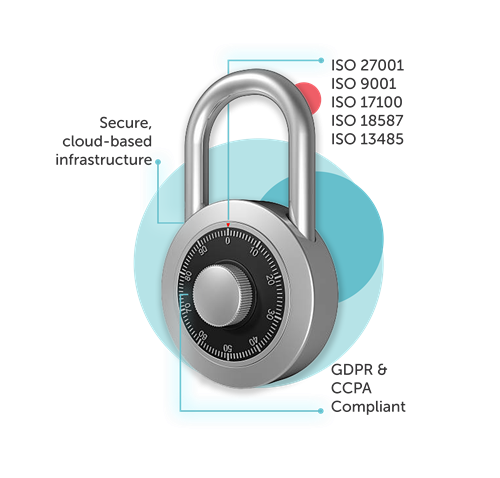
Die Cloud-Infrastruktur von LanguageWire gewährleistet die Sicherheit Ihrer Daten.




Ihr Weg zur unkomplizierten Erstellung multilingualer Inhalte beginnt hier. Erzählen Sie uns von Ihren Herausforderungen in Sachen Content! Wir finden die perfekte Content-Lösung für Ihre Marke.